
Apple’s latest iPhone software brings a much smarter Siri, new AI editing tools, faster performance and a long list of smaller changes. Here’s what you need to know before installing it.
iOS 27 starts rolling out today, bringing Apple’s latest software to iPhones going all the way back to the iPhone 11. There’s quite a lot in this release, although the experience will differ depending on which iPhone you own. The biggest additions are tied to Apple Intelligence, including an entirely new version of Siri, more capable photo editing and smarter features across apps such as Safari and Mail.
Those AI features require newer hardware than iOS 27 itself. An iPhone 11 can install the update, for example, but it won’t get Siri AI or the other Apple Intelligence features available on newer models.
Siri gets its biggest overhaul in years
Apple is using iOS 27 to introduce Siri AI, which it describes as an entirely new version of Siri powered by the next generation of Apple Intelligence. Unlike the Siri we’ve been using for years, Siri AI is designed for proper back-and-forth conversation. You can ask open-ended questions, follow up without having to start again and speak or type more naturally.
It can also understand personal context across your iPhone. Apple says Siri can look across things such as Messages, Mail and Photos to find information you’ve previously received or saved, rather than requiring you to remember exactly where something is stored. Onscreen awareness means you can ask Siri about whatever is currently displayed on your iPhone, while it can also use information from the web when it needs current information to answer a question.
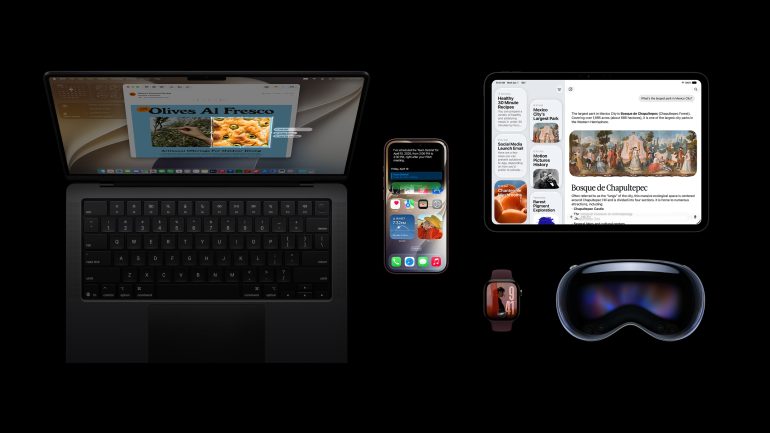
Siri AI can take more actions across the system too. Apple says it can help with things such as finding information, drafting text and acting on what’s currently on your screen. There’s also a dedicated Siri app that uses iCloud to privately sync conversation history across supported devices, so you can start a conversation on your iPhone and continue it on an iPad, Mac, Apple Watch or Apple Vision Pro.
Camera gets its own Siri mode, using Visual Intelligence to let you ask questions about something in front of you or take an action based on what the camera sees. Write with Siri can generate a draft from a description of what you need or help refine something you’ve already written.
Most importantly, Siri AI is rolling out today as a beta in English. Support for French, Japanese, Korean, Portuguese and Spanish follows in October.
The beta label is worth paying attention to. Apple says Siri AI and some other Apple Intelligence features that rely on server-side models are subject to daily usage limits. Those limits can vary depending on the feature, the complexity of a request and demand on Apple’s systems, and the company says expanded access will eventually be available for a fee.
Siri AI and the new Apple Intelligence features require an Apple Intelligence-compatible iPhone. That means the iPhone 15 Pro and iPhone 15 Pro Max, iPhone 16 models or later, iPhone Air and iPhone Duo. The regular iPhone 15 and iPhone 15 Plus can install iOS 27, but they don’t support Apple Intelligence or Siri AI.
Apple Intelligence spreads into more apps
Photos gets several of the more obvious AI additions. Spatial Reframing lets you change the composition of an image after it has been taken, while Extend can generate imagery beyond the photograph’s original boundaries. Clean Up has also been upgraded, and Image Playground can now create images in a wider range of styles, including photorealistic ones.
Apple is adding metadata to help identify images created or edited using AI, with support for Google’s SynthID standard coming in an update later this year. Some of the intelligent editing tools rely on Apple’s server-side models, so the company’s daily usage limits can apply here too.
Safari is becoming more proactive as well. Apple Intelligence can automatically organise tabs into topics and alert you when something on a webpage changes, such as a product coming back into stock or a price dropping. Apple is also adding the ability to create custom Safari extensions from a description of what you want them to do.
Call Context is another useful addition. When you phone a business, iOS can surface information that may be relevant to the call, such as a confirmation code or reservation number stored elsewhere on your phone, without forcing you to go hunting for it manually.
iOS 27 should feel faster too
Some of the biggest changes in iOS 27 are happening below the surface. Apple says apps can launch up to 30% faster, photographs can load in Photos up to 70% faster after being taken, and AirDrop transfers can be up to 80% faster.
Those are Apple’s own test results rather than a guarantee that every iPhone will see the same improvement, and performance will vary depending on the device, configuration and what you’re doing. Apple tested the app-launch improvement on an iPhone 11 Pro Max running iOS 27 against the same device running iOS 26.6, which at least suggests some of the gains aren’t limited to the newest hardware.
Connectivity has also been improved, with Apple saying transitions between cellular and Wi-Fi should be more seamless. Messages can continue sending subsequent text messages even if a large photo or video is struggling to upload on a slow connection, while search across Spotlight, Photos and Mail is supposed to be more stable and comprehensive. Mail also gets a new ranking system designed to surface more relevant results under Top Hits.
Apple hasn’t abandoned the Liquid Glass design introduced with iOS 26, but it has refined it. A new control in Settings lets you adjust the appearance from ultraclear through to fully tinted, giving you more control over how transparent the interface looks, while app icons have been made sharper and more defined.
There are several smaller additions spread across the system too. AirPods users get Custom EQ controls, while expanded GymKit functionality allows AirPods Pro 3 users to sync heart-rate data through the iPhone during workouts. iCloud Shared Albums now support full-resolution photo and video sharing and make it easier for Android and Windows users to join and contribute, Apple Maps gets an upgraded Flyover experience using aerial imagery and AI, and Cycle Tracking in Health expands to include support for perimenopause and menopause.
Parents get more control
Apple has also put a lot of work into child safety and parental controls in iOS 27. When setting up a child account, parents can choose exactly which apps their child has access to and add more over time, while Ask to Browse lets them require approval before a child visits a new website in Safari.
Communication Safety expands beyond sexually explicit imagery and can now detect and intervene when graphic gore or violent content appears in shared photos or videos. Screen Time has also been redesigned to give parents a clearer view of device use and frequently used apps, with daily time allowances for categories such as Entertainment, Games and Social Media, as well as Schedules that control which apps can be used at different times of the day.
Which iPhones support iOS 27?
The hardware requirements for iOS 27 itself are much broader than those for Apple Intelligence. Apple says the update supports:
- iPhone Duo
- iPhone 18 Pro Max
- iPhone 18 Pro
- iPhone 17 Pro Max
- iPhone 17 Pro
- iPhone Air
- iPhone 17
- iPhone 17e
- iPhone 16 Pro Max
- iPhone 16 Pro
- iPhone 16 Plus
- iPhone 16
- iPhone 16e
- iPhone 15 Pro Max
- iPhone 15 Pro
- iPhone 15 Plus
- iPhone 15
- iPhone 14 Pro Max
- iPhone 14 Pro
- iPhone 14 Plus
- iPhone 14
- iPhone 13 Pro Max
- iPhone 13 Pro
- iPhone 13
- iPhone 13 mini
- iPhone 12 Pro Max
- iPhone 12 Pro
- iPhone 12
- iPhone 12 mini
- iPhone 11 Pro Max
- iPhone 11 Pro
- iPhone 11
- iPhone SE (2nd generation and later)
That keeps software support stretching back several generations, while newer and less expensive models such as the iPhone 17e get the same underlying iOS 27 release as Apple’s flagship devices.
The iPhone XS, iPhone XS Max and iPhone XR aren’t supported. Compatibility with iOS 27 also doesn’t mean compatibility with every feature inside it. An iPhone 14 Pro Max, for example, can install iOS 27 but won’t get Siri AI.
How to update your iPhone to iOS 27
Before installing a major iOS update, it’s sensible to make sure you have a recent backup. For iCloud, go to Settings > your name > iCloud > iCloud Backup. If the most recent backup is old, tap Back Up Now.
Once that’s done:
- Open Settings.
- Tap General.
- Tap Software Update.
- Wait for your iPhone to check for available software.
- When iOS 27 appears, tap Update Now or Download and Install, depending on what appears on your device.
- Enter your passcode if prompted and follow the instructions on screen.
Your iPhone will need enough free storage to download and install the update, and keeping it connected to Wi-Fi and power while updating is a good idea. If you run into problems, Apple has a support guide for updating iOS.
You can also switch on automatic updates under Settings > General > Software Update > Automatic Updates.
iOS 27 starts rolling out today, 14 September, and it’s a noticeably different update depending on the iPhone in your hand. Older devices get the performance, connectivity, design and app improvements, while Apple Intelligence-compatible models get the more ambitious part of the release.
For those newer iPhones, Siri AI is easily the biggest change. Siri finally gains the conversational ability, personal context and broader understanding Apple has been promising for years, although the beta label and daily usage limits make it clear that the company still considers this a work in progress.