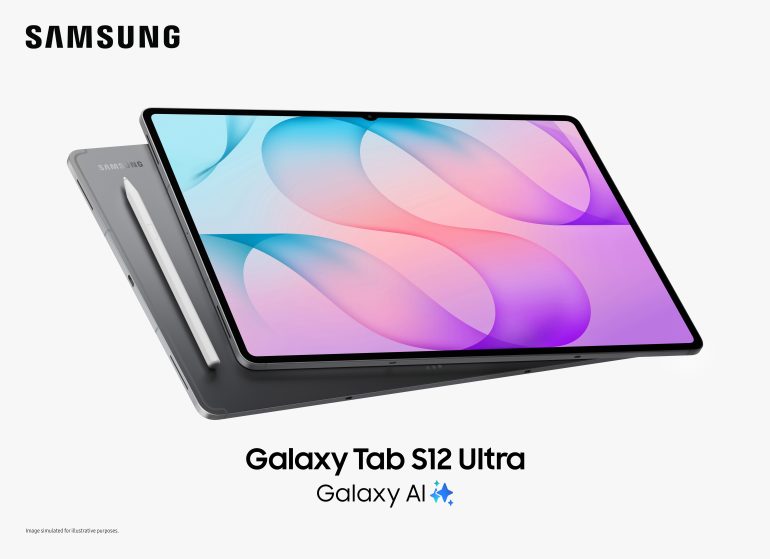
Samsung’s Galaxy Tab S12 Ultra has landed in South Africa with a starting price of R30,999. That’s R4,500 more than a 13-inch MacBook Air M5, which makes Samsung’s claim that its latest tablet is built for serious productivity a bit hard to swallow. Especially when you consider that the MacBook comes with a keyboard and trackpad, while Samsung expects you to buy those separately.
There are good reasons why someone might want the Samsung, though. It’s got a huge 14.6-inch AMOLED display, a powerful new processor and an S Pen included in the box. Adobe Photoshop has also finally made its way to Android tablets, which is probably one of the more interesting things to happen to the platform in some time.
The smaller Galaxy Tab S12+ starts at R26,999 and shares much of the same hardware. Both models are officially available locally as of 6 November, with Samsung offering several launch promotions that run until the end of January.
But at these prices, I’m less interested with how powerful the tablets are and more concerned about whether I’d actually want to spend an entire working day using one.
Samsung’s hardware has rarely been the problem
Samsung has been making excellent tablet hardware for years, and the Galaxy Tab S12 series looks to continue that tradition.
The Ultra has a 14.6-inch Dynamic AMOLED 2X display with a resolution of 2960 x 1848 and a 120Hz refresh rate. That’s an enormous screen for a tablet, especially one that’s just 5.1mm thick. The Tab S12+ is smaller, with a 12.6-inch display, although it’s still larger than what you’d find on most conventional tablets.
Both screens support a peak brightness of 1,600 nits, although Samsung specifies 1,000 nits for outdoor use in High Brightness Mode. There’s also an updated version of Vision Booster, which adjusts the display’s brightness according to the lighting around you.
Samsung’s particularly proud of how thin these devices are, although it isn’t alone in trying to make tablets as slim as possible. Huawei’s MatePad Pro Max, for example, measures just 4.7mm despite having a 13.2-inch OLED display.
Being exceptionally thin is an impressive achievement, but that doesn’t mean that the device is necessarily easier to use. The Ultra weighs 695g in its 5G configuration, and that’s before you’ve added a case or keyboard. It’s still much lighter than a laptop, of course, but once you start attaching accessories, some of that advantage disappears.
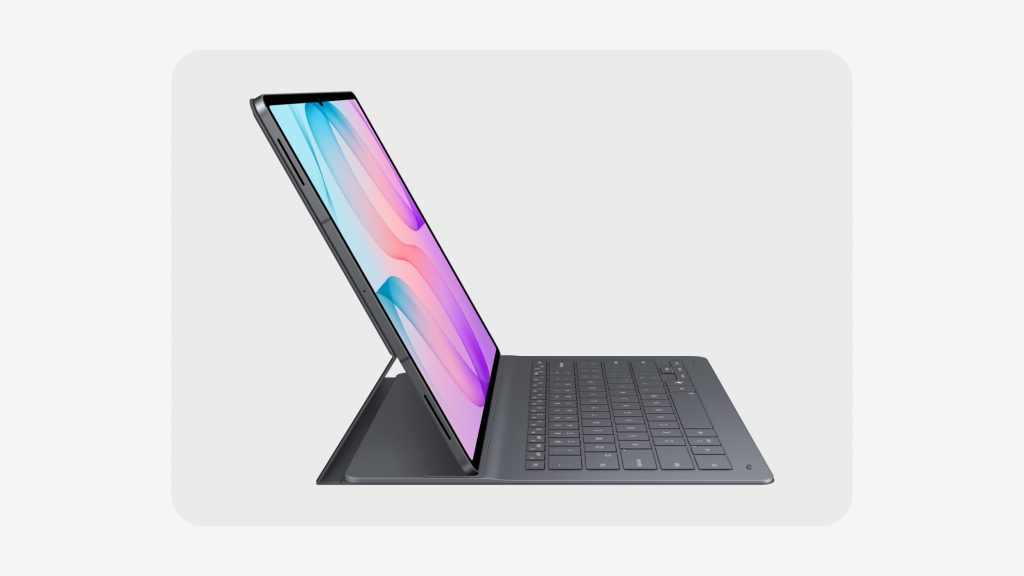
There’s also something to be said for the convenience of a conventional laptop. You can open it on your lap, adjust the screen and start typing. With a tablet and a keyboard cover, you’re often dealing with a kickstand, which can be awkward when you don’t have a desk or table in front of you.
Samsung has equipped both tablets with MediaTek’s Dimensity 9500 processor, built using a 3nm manufacturing process. The company claims that the Ultra delivers 19% faster CPU performance, 17% faster graphics and a 61% improvement in AI processing compared with the Galaxy Tab S11 Ultra.
Those are Samsung’s own figures, though, so independent testing is need to properly establish how much of a difference they make in everyday use.
The company has also redesigned the cooling system, replacing the previous vapour chamber with a new 3D version that’s supposed to do a better job of managing heat. That could be quite helpful when you’re editing video or playing demanding games for extended periods, especially in a device this thin.
The Ultra has an 11,600mAh battery, while the Plus gets a 10,600mAh unit. Samsung claims up to 23 hours of video playback on the larger model and 21 hours on the smaller one. Those figures come from laboratory testing, so they won’t necessarily reflect what you’d get in real world scenarios when you’re working with multiple apps open, using mobile data or running the screen at higher brightness levels.
Both tablets support 45W charging, with Samsung claiming that a full recharge takes approximately 95 minutes. You’ll need to supply your own compatible charger, though, because there’s no power adapter in the box.
Photoshop finally comes to Android tablets
I’ve always found the software side of Android tablets more interesting than the hardware. Manufacturers have been putting powerful processors and excellent screens into these devices for years, but that hasn’t always meant you could use them for the same work you’d do on a laptop.
It’s one of the reasons Adobe Photoshop’s arrival on Android tablets is such a welcome development.
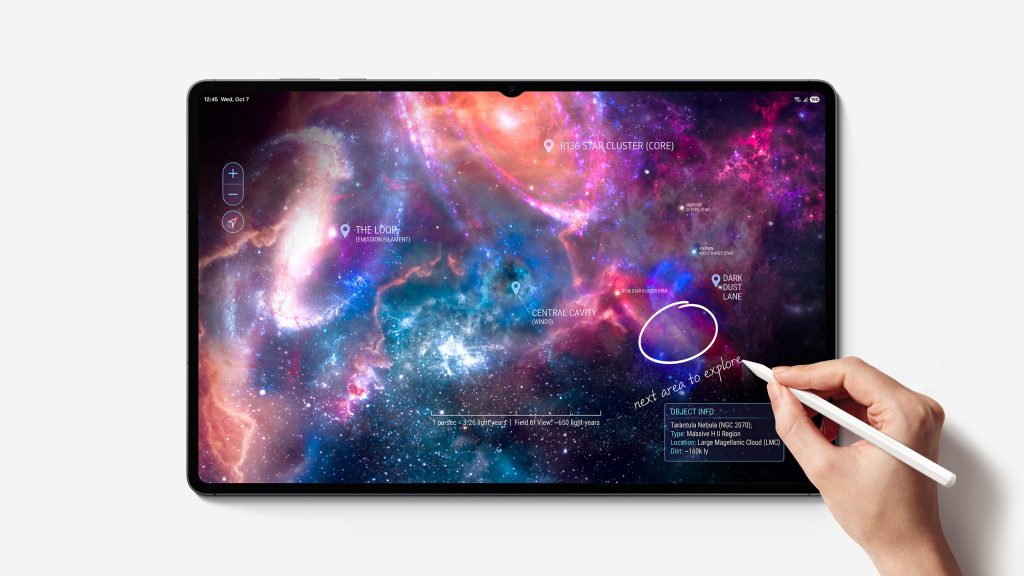
Samsung says the Galaxy Tab S12 series is the first Android tablet range to come with a version of Photoshop designed specifically for larger touchscreens. It supports the S Pen, has an interface adapted for tablet use and includes some of Adobe’s AI features, including Generative Fill.
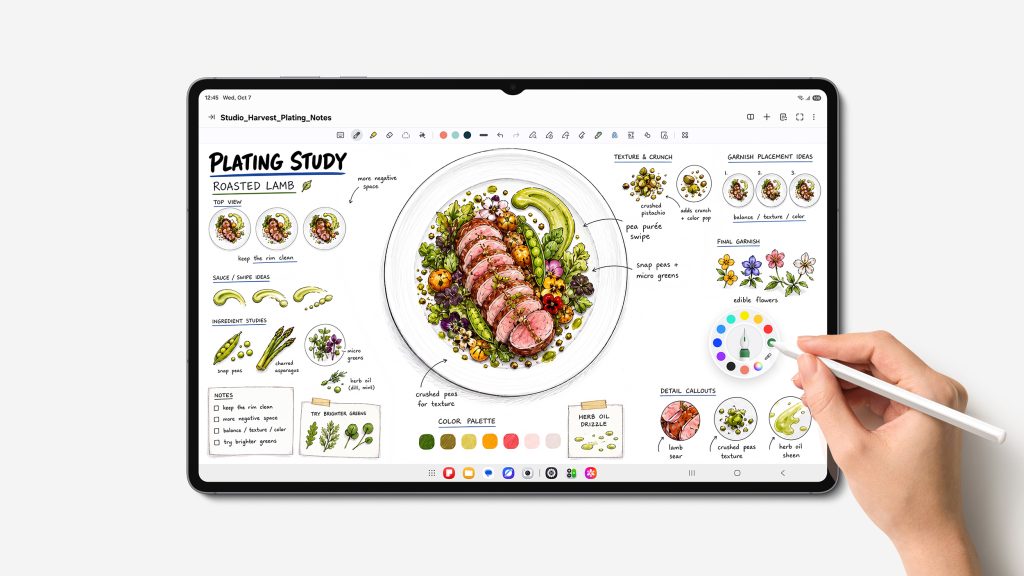
If you’re someone who regularly edits photographs, then there’s an obvious appeal to working directly on an image with a pen. You can make selections, retouch areas of a photograph or draw without having to use a mouse or trackpad. The important question is how much of Photoshop’s desktop functionality has made it across.
Adobe developed a separate tablet app, so you automatically shouldn’t assume it includes every tool or feature available on Windows or macOS. Depending on what you use Photoshop for, that might not be a problem. But if you rely on specific desktop features, you’d want to check that they’re available before buying a tablet specifically for image editing.
Samsung’s also secured an exclusive arrangement with Adobe. Photoshop for Android tablets launched through the Galaxy Store on 7 October and will remain exclusive to Samsung’s app store for at least six months. After that, Adobe may bring it to other Android app stores. That means Samsung has a head start, although it doesn’t mean that Photoshop will remain exclusive to Galaxy tablets.
There’s also a subscription to consider. Samsung is giving Galaxy Tab S12 buyers four months of Photoshop’s premium mobile plan, which includes 100 monthly generative credits. Once that period ends, you’ll have to pay if you want to continue using the premium features.
The same applies to several other apps that Samsung’s promoting.
Goodnotes comes with a year of free access, while Notability and Clip Studio Paint offer six-month trials. There’s a discount on LumaFusion, and Notion comes with a trial of its paid plan. Samsung’s also included apps for handwritten notes, mathematics and technical drawing.
It’s a decent selection, and some of these apps might be genuinely helpful depending on what you do. But I wish manufacturers would be a little clearer about the difference between software that’s included with a device and software you’re only getting temporarily.
If you’re spending R30,999 on a tablet, the last thing you want is to discover a few months later that several of the apps you’ve started using now require additional payments.
Can you actually replace your laptop with one?
Samsung DeX has been around for years, and it’s still one of the better reasons to consider a Galaxy tablet over other Android options.
It gives you a desktop-style interface, with resizable windows and the ability to work across multiple apps. On a screen as large as the one on the Ultra, that makes a lot of sense.
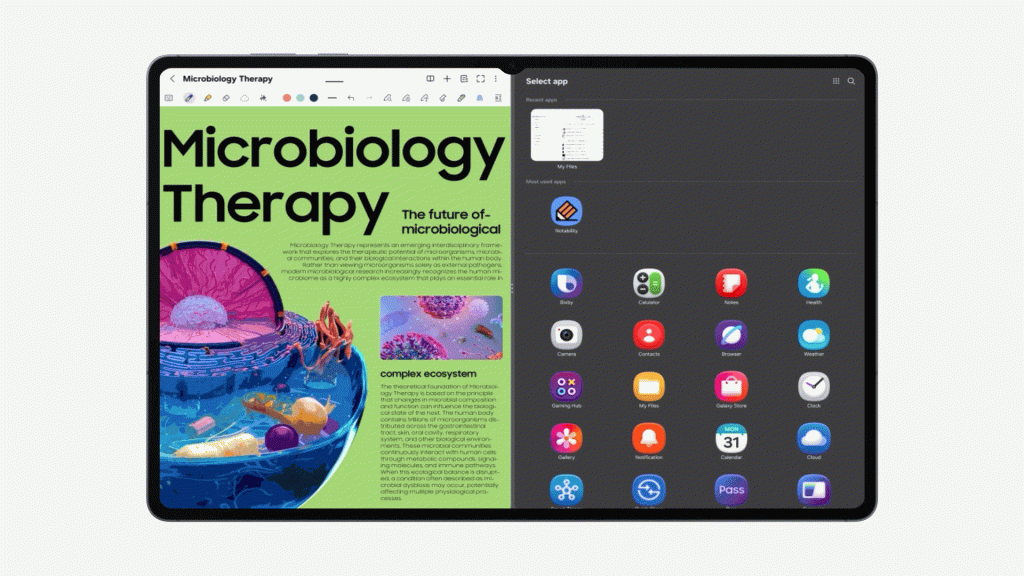
You could have a document open alongside your browser, keep notes on another part of the display and switch between apps without constantly returning to the home screen. Samsung’s Multi Window feature also supports splitting the screen into three sections.
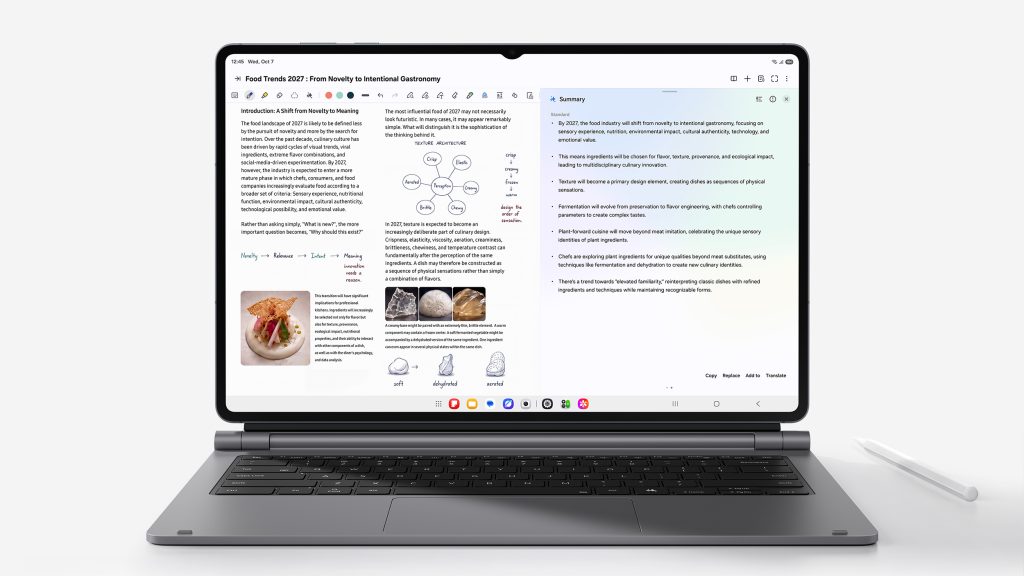
The company added more AI features, including tools that can summarise notes, work with documents and help you find information across browser tabs. Samsung Browser can even use your browsing history to help locate something you’ve previously read.
Those features could be helpful, especially for students or people who spend a lot of time researching and working through documents, but I also think we’re getting to the point where manufacturers and developers need to show us how their AI features improve everyday tasks instead of simply adding more of them.
Having an AI assistant summarise a document is convenient but it doesn’t make much difference if the app you need to do your actual work isn’t available on Android.
And that’s one of the problems Samsung still has to deal with.
If most of your work happens in a browser, you’d probably be perfectly happy using a Galaxy Tab. You can write, manage email, attend meetings, work on presentations and review documents. The touchscreen and S Pen also give you options you wouldn’t have on most conventional laptops.
But there are still professional apps that don’t have Android versions, while others offer fewer features than their desktop counterparts. The desktop-style appearance of DeX doesn’t change the apps running underneath it.
I’d also want to spend some time with Samsung’s keyboard accessories before deciding whether either tablet could reliably replace a laptop.
There’s a Pro Keyboard with a trackpad and a dedicated AI key, along with a lighter Book Cover Keyboard Slim. Neither comes in the box, and Samsung hasn’t included their South African prices in the local press release.
That’s something I’d like to see addressed, particularly when the company is making such a big deal about productivity. If you’re going to spend several hours a day writing or working on documents, a decent keyboard is hardly an optional extra.
And then there’s the competition.
A 13-inch MacBook Air M5 starts at R26,499 through iStore, while the 15-inch model starts at R30,599. Both come with a keyboard and trackpad, and they run macOS rather than a mobile operating system.
The MacBook doesn’t have a touchscreen, and you can’t use an Apple Pencil with it. If you’re an illustrator or someone who prefers editing photographs directly on a screen, that could be enough to make Samsung’s tablet more appealing.
For someone who mainly writes, edits documents or uses desktop software, though, I’d have a difficult time choosing the Galaxy Tab over a MacBook Air, especially when the Samsung costs more before you’ve even added a keyboard.
Should you upgrade from an older Galaxy Tab?
If you already own a Galaxy Tab S11 Ultra, I wouldn’t suggest rushing to replace it.
The new Ultra has the same 14.6-inch screen size as its predecessor, the same battery capacity and a similarly thin design. Samsung’s upgraded the processor, improved the cooling system and made changes to the speakers, but there’s little that points to a dramatic difference in how you’d use it.
That’s not necessarily a bad thing. We’ve reached a point where premium tablet hardware is already very capable, and there’s only so much manufacturers can improve from one generation to the next. But it does make upgrading every year harder to justify.
The Tab S12+ has a few more obvious improvements over the older Tab S10+. Its screen has grown to 12.6 inches, the bezels are slimmer and it has a larger battery. Samsung claims you’ll get approximately five additional hours of video playback, although that’s based on its own tests.
Both new models also come with up to seven generations of Android upgrades and seven years of security updates, which should help people keep them for longer.
There’s support for microSD cards of up to 2TB too, something I appreciate on a device that Samsung is encouraging people to use for creative work. Video projects, photographs and other large files can fill up storage surprisingly quickly, so it’s good to have the option of expanding it without paying for a more expensive model.
For someone using a much older tablet, the new hardware and longer software support could make an upgrade worthwhile. But if your existing Galaxy Tab is still doing everything you need it to do, I don’t see much reason to replace it just yet.
South African pricing and availability
The Galaxy Tab S12 series is officially available in South Africa as of 6 November 2026, with the Tab S12+ starting at R26,999 and the Ultra at R30,999.
Both models are available in Gray and Silver, with 12GB of RAM and 256GB of storage on the entry-level configurations. Samsung also offers versions with additional storage, and both tablets support 5G connectivity.
Samsung’s South African online store has the full range of configurations and current availability.
There’s also a launch promotion running until 31 January 2027, including a R1,500 voucher, six months of Google AI Pro and discounted Samsung Care+ cover.
The promotional Care+ monthly plan costs R99 instead of R129, while the two-year once-off option costs R1,699 instead of R1,999. The plans have different repair limits and conditions, so it’s worth checking exactly what’s covered before signing up.
I can see why someone would want the Galaxy Tab S12 Ultra. The enormous AMOLED screen, S Pen and ability to switch between tablet and desktop-style interfaces make it an appealing device, especially if you spend a lot of time drawing, editing photographs or taking handwritten notes.
But I’d have to think carefully about spending R30,999 on one.
At that price, I’d want to know that the apps I use every day work properly, that I wouldn’t constantly be reaching for a laptop to finish something, and that the advantages of having a touchscreen justify spending more money.
Samsung has made some welcome improvements to the software, particularly with Photoshop finally arriving on Android. For people who specifically want a premium tablet, there’s a lot here to consider. If I were shopping for a computer to do most of my work on, though, I’d still be looking at a laptop first.