
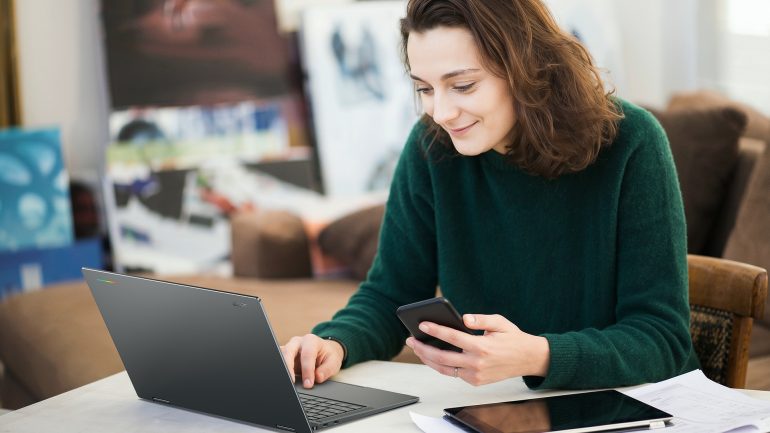
Acer has launched the Googlebook 14, its first laptop running Google’s new Googlebook OS and one of the first machines designed to work properly with an Android phone. It’s a 14-inch convertible with an OLED touchscreen, current Intel hardware and a thin metal body, so the laptop itself isn’t especially strange. The part I’m more interested in is what happens when you put an Android phone next to it.
For years, Android users have been able to buy excellent phones from Samsung, HONOR, Xiaomi, OPPO and plenty of others, but the laptop side of the ecosystem has never been nearly as coherent. Samsung does make Galaxy Book laptops, although its South African consumer range currently lists phones, tablets, watches and other devices without Galaxy Book. Apple users, meanwhile, have had the Mac sitting next to the iPhone for years.
Googlebook OS is built on Android technology with desktop foundations from ChromeOS. That gives it Android apps from Google Play, a desktop version of Chrome and the sort of phone integration Google hasn’t previously offered on a laptop. Acer isn’t doing this alone either. Google has Acer, ASUS, Dell, HP and Lenovo building the first Googlebooks, which start at $899 in the US.
Acer’s first Googlebook looks like a proper premium laptop
The Acer Googlebook 14 is the first convertible Googlebook, with a 360-degree hinge that lets it work as a normal laptop or fold into tablet, stand and tent modes. The 14-inch OLED touchscreen has a 2 880 x 1 800 resolution, 500-nit brightness and support for USI 2.0 styluses, although the stylus itself is sold separately.
The aluminium-magnesium body weighs 1.14kg and is 13.9mm thick, while Google’s Glowbar sits on the lid and shows battery and charging information without making you open the laptop. It’s one of the few obvious signs that you’re looking at a Googlebook rather than another premium Acer Windows machine.
Inside, there’s a choice of Intel Core Ultra 5 325 or Core Ultra 7 355 processors, with up to 32GB of LPDDR5X memory and 512GB of PCIe Gen 4 storage. The Core Ultra 7 version has an NPU rated at up to 50 TOPS because, apparently, laptop specifications now need an AI number sitting next to the RAM and storage figures. Acer claims up to 16 hours of web browsing or 14 hours of local video playback, although I’d rather see what happens once Chrome, Android apps, Gemini and video calls are all running at the same time.
There’s Wi-Fi 7, Bluetooth 6.0, one Thunderbolt 4 port, two USB-C 3.2 Gen 2 ports and a headphone jack. The 5MP webcam has a physical privacy shutter, the power button doubles as a fingerprint reader and Google’s Titan-C security chip is built in.
Acer will sell the Googlebook 14 in North America from October for $899, while EMEA pricing starts at €1 199. Australia follows in November at AU$2 599, but Acer hasn’t announced South African pricing or availability.
Google has convinced the PC industry to come along
Google’s decision to use established PC manufacturers makes much more sense for Android than trying to build another Pixelbook by itself. The first machines come from Acer, ASUS, Dell, HP and Lenovo, giving buyers different sizes, processors and designs while Google controls the operating system underneath.
The ASUS Googlebook 14, for example, starts at 0.99kg and uses Intel Core Ultra Series 3 processors with a 14-inch 3K OLED touchscreen. Google says the wider line-up uses hardware from both Intel and Qualcomm, with every machine getting an NPU rated above 45 TOPS.
The multi-brand approach also means buying an Acer Googlebook doesn’t tie you to an Acer phone, which is probably for the best. You could use it with a Samsung phone now, move to an HONOR or Xiaomi later and keep the same laptop. Android has always given buyers more hardware choice than Apple, so it would’ve been odd for Google to build its laptop ecosystem around one manufacturer.
Samsung has already shown how good Android can be when more of the hardware works together. Its Galaxy phones, tablets, watches and Buds have become increasingly good at handing things between devices, something I touched on in my Galaxy S26 Ultra review on Reframed. Googlebook opens that sort of experience up beyond one hardware brand.
The phone integration is the part I actually want to use
Googlebook’s Android integration starts during setup, when Google says settings, saved passwords, Wi-Fi networks and messages can move across from the phone. Once you’re using the laptop, Continue On lets supported apps pick up something you started on the phone, while the Files app can access photos and documents stored there. Cast My Apps goes further and lets you stream and interact with phone apps in a desktop window.
None of this sounds spectacular, and I mean that as a compliment. People still send photographs to themselves on WhatsApp because the picture is on their phone and they need it on a laptop. We still stop working to pick up a phone and retrieve a one-time code even though the computer is sitting right in front of us. Googlebook is trying to make those little interruptions disappear.
Acer specifically lists Continue On and Cast My Apps among the Googlebook 14’s headline features. The fine print is worth reading, though, because Acer says Cast My Apps works on supported devices running Android 17 or later.
That requirement narrows things considerably in South Africa right now. StatCounter’s August 2026 Android version figures for South Africa put Android 16 at 30.34%, followed by Android 14 at 15.4%, Android 15 at 15.15% and Android 13 at 13.19%. Android 17 doesn’t appear among the six most widely used versions in the dataset yet.
Googlebook can still work as a laptop without those features, of course, but the Android connection is one of the main reasons to choose it over Windows or macOS. If your phone can’t use the best bits yet, part of the appeal disappears with it.
Android apps still need to behave like laptop apps
Googlebook gets access to Google Play, so there’s no shortage of software on day one. Google says many Android apps have been optimised for larger screens, mouse and keyboard input, while native creative software includes Photoshop, Lightroom and CapCut. There’s also a Linux environment with terminal access for developers.
I’d still check the apps I actually use before buying one for work. Android tablet software is much better than it used to be, but there are still apps that feel like phone interfaces stretched across a bigger display. That’s annoying on a tablet and much harder to forgive on a premium laptop.
Windows and macOS have decades of desktop software behind them, so Googlebook doesn’t get a free pass simply because an app exists in Google Play. The experience has to feel as though the developer expected somebody to use a keyboard, trackpad and large display.
Gemini is built into almost everything
Google has designed Googlebook around Gemini from the beginning, with Magic Pointer bringing contextual actions to whatever is under the cursor. Rambler can turn spoken thoughts into structured text, while Create My Widget lets you generate desktop widgets from a prompt. Google also says every Googlebook gets regular feature drops and software updates for up to 10 years.
Some of that looks useful, but I’m still more interested in the Android integration than another collection of AI tools. PC manufacturers have spent the past few years finding places to put AI whether users asked for it or not. Google has an advantage because Gemini already exists on Android and inside services people use every day, but it still has to earn a permanent place in someone’s workflow.
Acer includes 12 months of Google AI Pro and 5TB of cloud storage with eligible Googlebook 14 purchases. Its published offer currently applies in Australia, Canada, France, Germany, Ireland, New Zealand, the UK and the US, so South Africa isn’t included.
Apple has had years to get this right
If you use an iPhone and Mac, much of Googlebook’s phone pitch will sound familiar. Apple Continuity includes Handoff, Universal Clipboard, Continuity Camera, iPhone Mirroring and the ability to handle calls and messages from a Mac. Apple also lets an iPhone help set up a new Mac, carrying across account details and other information.
Apple has an easier job because it makes both ends of the connection. The iPhone, Mac, operating systems and processors all come from the same company, so there are fewer variables when Apple adds something like Handoff or iPhone Mirroring.
Google has to make an Acer, ASUS or Dell laptop work with phones from several manufacturers, each with its own update schedule and changes to Android. That’s a messier job, although buyers get far more freedom over the hardware they use.
The choice is also becoming more awkward on price. The MacBook Neo currently starts at R13 999 in South Africa, while the 13-inch M5 MacBook Air is listed from R24 999. We don’t have a South African Googlebook price yet, so a direct comparison would be premature, but Acer’s $899 US price makes it clear that this isn’t meant to replace the cheap Chromebook.
South Africa could suit Googlebook rather well
Android accounted for 75.16% of South African mobile operating-system usage in August 2026, compared with 24.82% for iOS. That gives Google an enormous base of phone users who wouldn’t need to switch mobile platforms before a Googlebook starts making sense.
The first sales markets are the US, Canada, the UK, Ireland, France, Germany and Australia. Googlebooks go on sale in the US on 4 October and in the other launch countries on 5 October, with South Africa absent from the list for now.
Acer, ASUS, Dell, HP and Lenovo already sell laptops here, so Google doesn’t need to establish its own retail operation before Googlebook can reach South Africa. Price, local support and how quickly Android 17 reaches enough phones will decide whether the idea works as well here as it does on paper.
Acer’s first machine looks good, and Google’s decision to let established PC manufacturers handle the hardware gives Googlebook a much better chance than another lonely Pixelbook would’ve had. Android already has the phones and Google already has the software. If these laptops make it to South Africa at sensible prices, Android users will finally have a PC platform that treats the phone beside it as part of the same setup rather than somebody else’s problem.